I bought an i7 Mac Mini around 2012 to work from home. It was my main Mac for quite a while and, although it was always on, I never intended it to be a server.
I gradually started using a 2015 i5 MacBook Air more often. When the M1 MacBook Air came out in 2020, I bought one and it quickly became my main Mac. I still had about four external drives attached to the Mini, mostly over FireWire 800 and USB. The older Air had only two USB-A ports, so I’d have to eject and disconnect the drives whenever I wanted to move it. I couldn’t connect all four anyway. This was before decent USB-C docks. Leaving the Mini switched on and sharing the storage over the network was far easier.
The Mac Mini gradually became my home server. It kept local copies of my iCloud files, shared storage around the house and acted as a Time Machine destination for the family’s Macs. Backblaze handled cloud backups. I also had a shell script that collected video from my car’s dashcam over Wi-Fi whenever it was parked in the garage. It all worked, with very little attention required.
Then, in 2022, the Mac Mini refused to power on. I suspected the power supply or logic board, but had no interest in pulling the thing apart to find out. But I did need file sharing and backups working again.
A cheap solution — in theory
I’d looked at direct-attached storage before. I assumed a NAS was basically the same thing, but on the network. I considered a Western Digital My Cloud, then settled on an empty Synology DS420j for A$399. The plan was to reuse drives from my collection of external enclosures.
That didn’t quite go as I had hoped. Two 2TB WD Red drives were on their way out, so I ended up buying three new disks. On the other hand, a 5TB Seagate drive I’d given up on after a LaCie enclosure failed worked perfectly well in the Synology. Swings and roundabouts. The supposedly cheap replacement for the Mac Mini was getting more expensive.
More than a box of disks
Firing up the DS420j was a surprise. Synology’s DiskStation Manager (DSM) wasn’t just a storage interface. It was a proper operating system, with a browser-based desktop, applications and services. I’d bought a small server without realising it.
I’d bought a small server without realising it.
First I had to replace what the Mac Mini had been doing. File shares and Time Machine were straightforward. The old Backblaze consumer plan wouldn’t work with a NAS, so I moved to IDrive for cloud backup. My dashcam-download shell script moved across with very few changes. Infuse provided access to video on the NAS from my Apple TVs and iPads.
I used Hyper Backup to back up to an external drive attached to the DS420j. Within a couple of months I had restored most of what I’d lost with the Mac Mini, and discovered that DSM could do quite a lot more.
Outgrowing the DS420j
The DS420j did its job, but it was slow. File transfers and Time Machine backups weren’t especially quick, and CPU and RAM usage climbed as I added more work. I also wanted to run Docker containers and use Btrfs snapshots. At the time, the DS420j couldn’t do either.
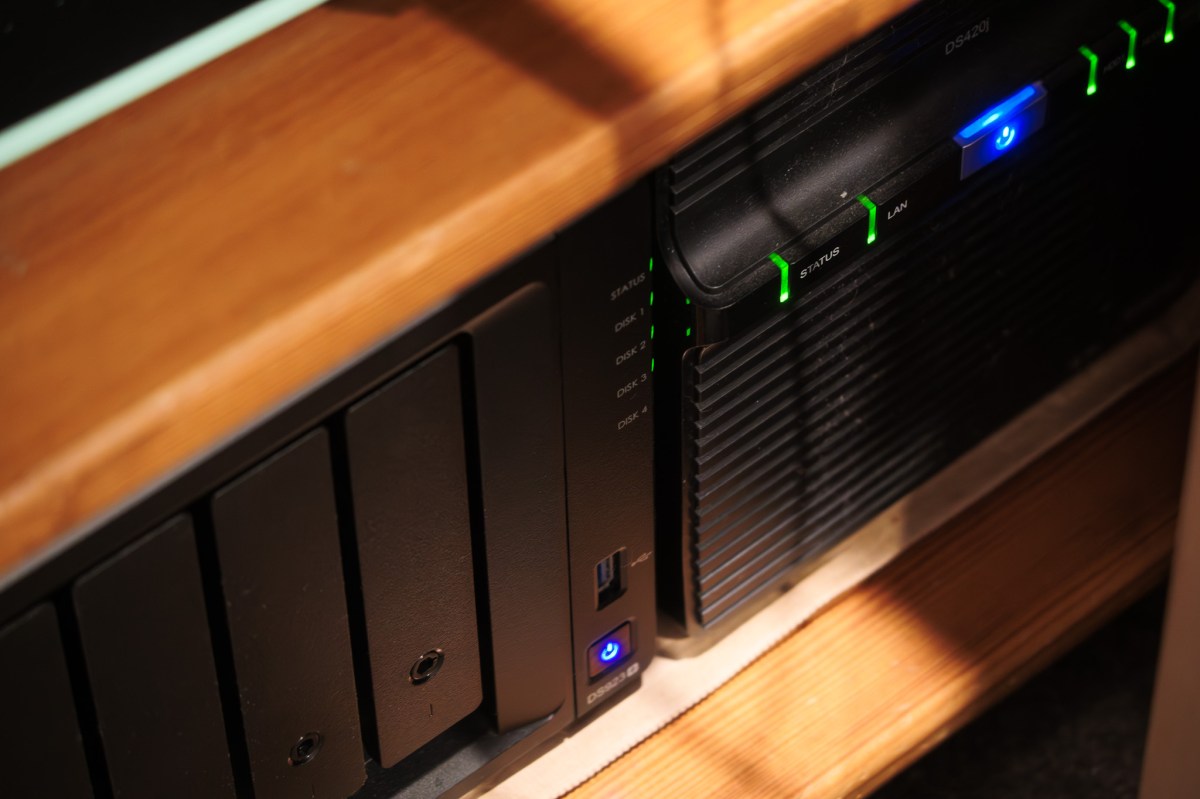
So in 2023 I bought a DS923+. This was about performance and capability, not just capacity. I increased the RAM and added two 1TB M.2 SSDs for caching. I also added a five-bay DX517 expansion unit, giving me a separate volume built initially from smaller hard drives.
Then, of course, Synology added Docker support to the DS420j in a later DSM update. Typical. But Docker wasn’t the only reason for upgrading. I still wanted the extra performance, memory and Btrfs snapshots.
A second NAS, not a spare
The upgrade also fixed something else. Until then I’d backed up the DS420j to an external hard drive. Now I could use the old NAS as a dedicated Hyper Backup target, with fault-tolerant storage rather than a single external drive. My DS923+ became the main storage and applications server, and the DS420j stored backups through Hyper Backup Vault.
The two machines sit together, so that isn’t an off-site backup. I still use other local and cloud backup copies. But it made much better use of the old NAS than putting it in a cupboard.
From storage to applications
I had high hopes for Docker, although it took me a while to do much with it. One of the first useful applications was Uptime Kuma, which pings internal and external devices and services. I also monitor a VPN connection and run speed tests. Uptime Kuma sends alerts through Pushover to my iPhone when a threshold is crossed.
It’s been particularly useful when I’ve been on call for work. There have been occasions when it alerted me to a problem with a work website more than 15 minutes before anyone from work rang me. That’s a good reason to keep it running.
More recently I’ve added Homebridge to link my MyAir air-conditioning controller to Apple Home, a Palworld server for my daughter, IT-Tools and Speedtest Tracker. They’re very different uses, but that’s the point: the NAS has become somewhere I can run services when I need them.
I bought the first NAS because I thought I no longer needed a server.
The DS923+ also runs Tailscale, letting my devices reach the home network when I’m away. That’s been a major improvement, but the move away from DDNS and direct access is a story for another day.
Mostly hands-off
Despite all this, maintenance is minimal. Every day or two I check for DSM and package updates and make sure Hyper Backup is running smoothly. DS Finder sends notifications to my iPhone and iPad, while Active Insight flags more serious issues. I also get warnings about high CPU load or hot drives, usually the M.2 SSDs.
As long as I deal with the alerts promptly, the two NASes largely look after themselves. I’m very happy with the setup.
In hindsight I could have bought a more capable NAS from the start. But in 2022 I just needed to replace a dead Mac Mini without spending a fortune. The DS420j did that, introduced me to DSM and still earns its keep as a backup machine.
I bought the first NAS because I thought I no longer needed a server. I now have two — and they’re doing far more than the Mac Mini ever did. And I did end up spending a fortune!

